
Thousand Strikes · Beginner guide
Thousand Strikes Beginner Guide: How to Play, Controls, and Combat Tips
A practical starting point for the controls, combat basics, four weapons, four ninja arts and boss encounters in Thousand Strikes.
Table of contents
Thousand Strikes is a 3D ninja action game where you fight through waves of enemies, use different weapons and ninja arts, and face powerful bosses. It may look like a straightforward hack-and-slash game, but surviving for longer takes more than repeatedly pressing the attack button. You need to move carefully, recognize enemy attacks, use your defensive options, and choose the right moment to unleash your strongest abilities.
If you are just starting out, this Thousand Strikes beginner guide covers the essential controls, combat mechanics, weapons, ninja arts, game modes, and practical tips to help you get comfortable with the game.
What Is Thousand Strikes?
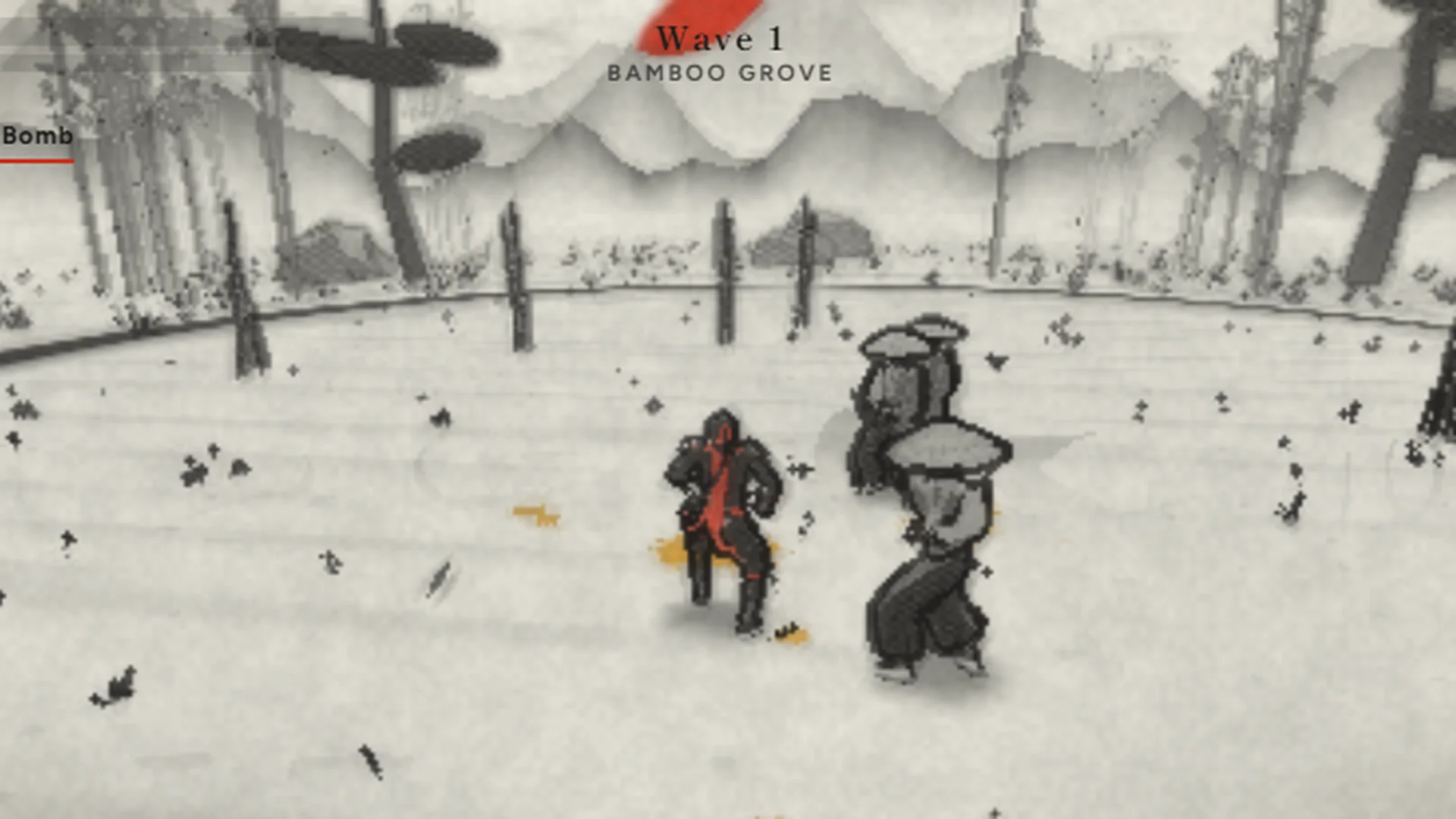
Thousand Strikes is a 3D ninja brawler with a hand-painted ink-wash visual style. You battle waves of ronin, spear-wielding enemies, and archers across different arenas. Bosses appear during your run and require more careful timing because they can defend, counter, and dodge your attacks.
The game features:
- Four weapons: katana, twin blades, nodachi, and kusari chain.
- Four ninja arts: smoke, fire, shadow clones, and grappling hook.
- Nine maps with environmental hazards.
- Upgrades, shops, shrines, and unlockable outfits.
- Endless, Boss Rush, and Daily Challenge modes.
The main objective is to defeat enemies, survive each wave, and adapt as encounters become more demanding. The game is available in a browser and supports desktop and mobile play.
Thousand Strikes Controls
Knowing the controls is the first step toward improving. The following keyboard and mouse controls are listed for the desktop version.
| Action | Keyboard / Mouse |
|---|---|
| Move | W, A, S, D |
| Look around | Mouse or arrow keys |
| Attack | Left mouse button or J |
| Charge attack | Hold the attack button |
| Guard | Right mouse button or K |
| Jump | Space |
| Dodge | Shift |
| Throw shuriken | E or L |
| Use ninja art | F or U |
| Use ultimate | Q, I, or R |
| Pause | P |
On mobile, the game uses an on-screen joystick and buttons. A gamepad is also supported.
How to Get Comfortable With the Controls
Do not try to memorize every action during a difficult fight. Start with a short practice routine:
- Move around the arena and get used to changing direction.
- Attack a basic enemy, then stop attacking and reposition.
- Practice guarding so you can recognize how the defensive action fits into combat.
- Use dodge to move away from an incoming threat.
- Test the shuriken and ninja art controls when you have room to do so.
- Practice holding the attack button to understand the charged attack.
The goal is to make movement, attack, guard, and dodge feel familiar before you focus on advanced combat.
Combat Basics: Attack, Guard, and Dodge
A good beginner should think about combat as a cycle: create an opening, attack, then reposition before enemies surround you.
1. Avoid Button Mashing
Repeatedly attacking can leave you poorly positioned, especially when several enemies approach from different directions. Use short attack opportunities and pay attention to what nearby enemies are doing.
Try this simple pattern:
- Approach an isolated enemy.
- Attack when you have a clear opening.
- Stop attacking if another enemy is preparing to strike.
- Move or dodge to create space.
- Return to offense when it is safer.
2. Use Guard When You Need to Defend
Guard is an important defensive option. Use it when you need to respond to an enemy threat rather than continuing to attack without checking your surroundings.
Do not assume that holding guard forever is the best strategy. Watch the enemy, defend when appropriate, and look for a safe opportunity to counterattack or reposition.
3. Dodge to Avoid Dangerous Situations
Dodge is useful when an attack is about to reach you or when enemies are closing in. Beginners often dodge too early, too late, or in a direction that leaves them surrounded.
A few useful habits:
- Watch the enemy instead of focusing only on your own attacks.
- Dodge away from clusters when possible.
- Avoid moving blindly into another enemy or an environmental hazard.
- Do not spend every moment dodging; use the space you create to attack or reposition.
4. Learn the Charged Attack
The desktop controls list a charged attack when you hold the attack button. Test it against a safe target and compare its timing with normal attacks.
A charged attack may take longer to perform, so avoid assuming it is always the best choice in the middle of a crowded fight. Use it when you have enough space and time.
Understand the Four Weapons
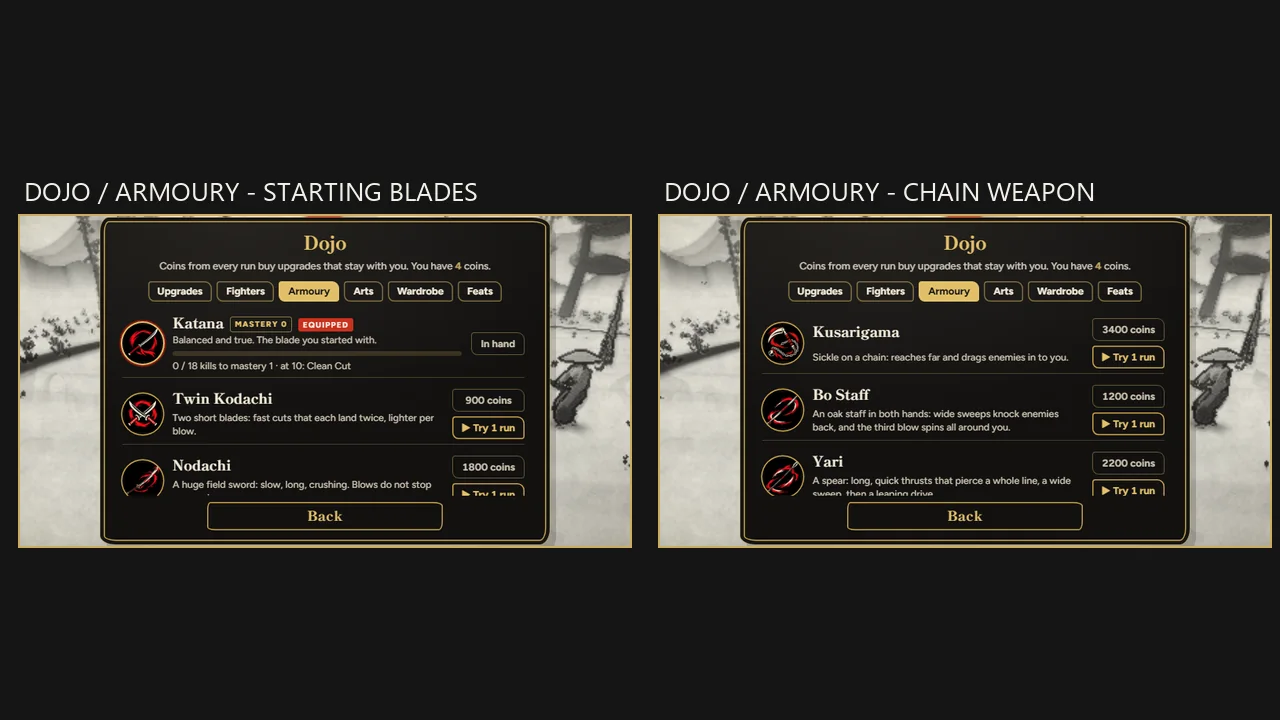
Thousand Strikes offers four weapon choices. The available game description names the weapons but does not provide a complete official stat comparison.
| Weapon | Beginner perspective |
|---|---|
| Katana | A familiar starting point if you prefer a traditional sword feel. |
| Twin blades | Worth testing if you enjoy a dual-wielding visual style. |
| Nodachi | A large Japanese sword; try it if you like the feel of a heavier blade. |
| Kusari chain | A chain weapon that may appeal to players who want a different reach and visual rhythm. |
For a closer look at each weapon and how to test it, read ourThousand Strikes Best Weapons Guide.
Which Weapon Should Beginners Choose?
There is no confirmed universal best weapon based on the public information available.
Try each weapon in a low-pressure run and consider:
- Can you land attacks consistently?
- Do you feel comfortable with its timing?
- Can you reposition safely after attacking?
- Does it suit the way you like to approach groups of enemies?
Choose the weapon you can use reliably. A weapon that feels comfortable is more useful to a beginner than a supposed top-tier choice based on unverified rankings.
The Four Ninja Arts
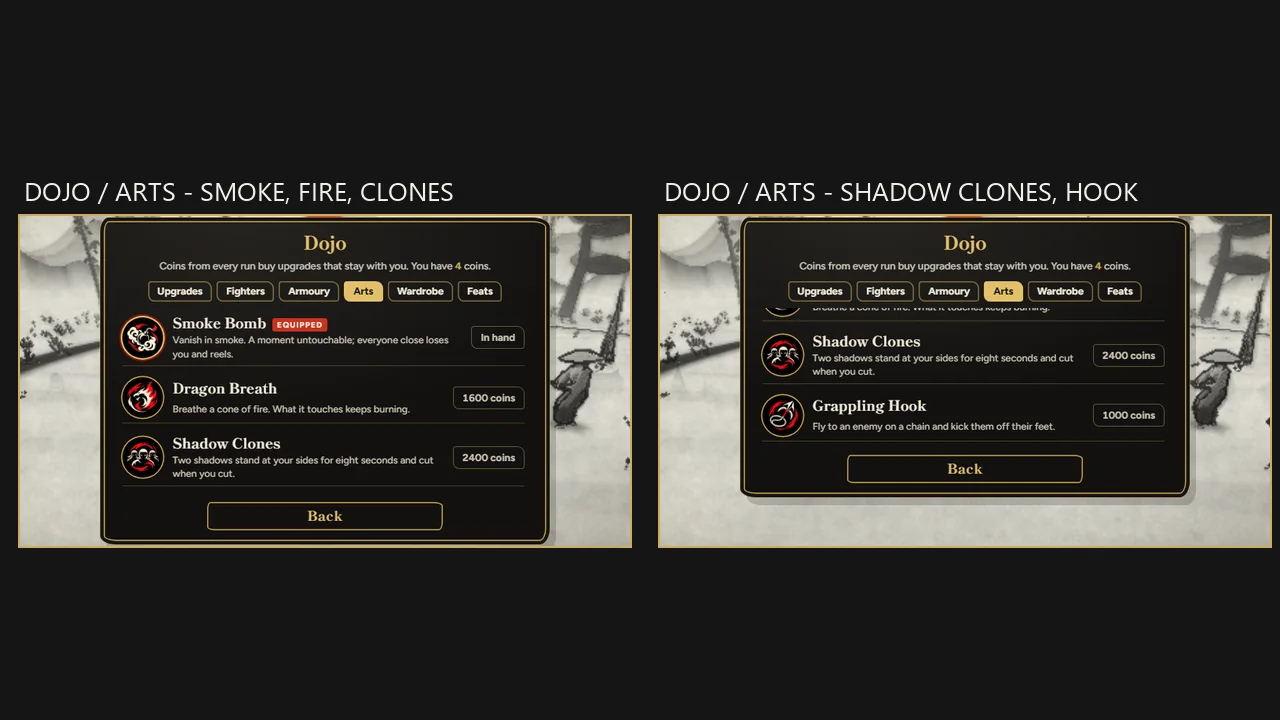
The game lists four ninja arts:
- Smoke: A smoke-based ninja ability.
- Fire: A fire-based ability.
- Shadow Clones: An ability involving shadow clones.
- Grappling Hook: A hook-based movement or utility ability.
The public game description does not specify every ability's exact damage, cooldown, range, or upgrade values. For that reason, this guide does not invent numerical stats or claim that one art is definitively the strongest.
How to Test Ninja Arts
Try one ability at a time so you can understand what it does:
- Find a moment when you are not surrounded.
- Activate the ninja art.
- Observe its effect, range, and impact on nearby enemies.
- Notice whether it helps you deal damage, create space, or reposition.
- Test it again in a different situation.
This will help you choose an ability based on your own experience rather than guessing from its name.
Beginner Tips for Surviving More Waves
Tip 1: Keep Moving
Standing still makes it easier for enemies to close in from multiple directions. Move around the arena and try to avoid being trapped between enemies.
Tip 2: Do Not Ignore Ranged Enemies
Archers can make it difficult to focus on nearby opponents. Keep checking the wider arena and avoid staying in one place while ranged enemies are active.
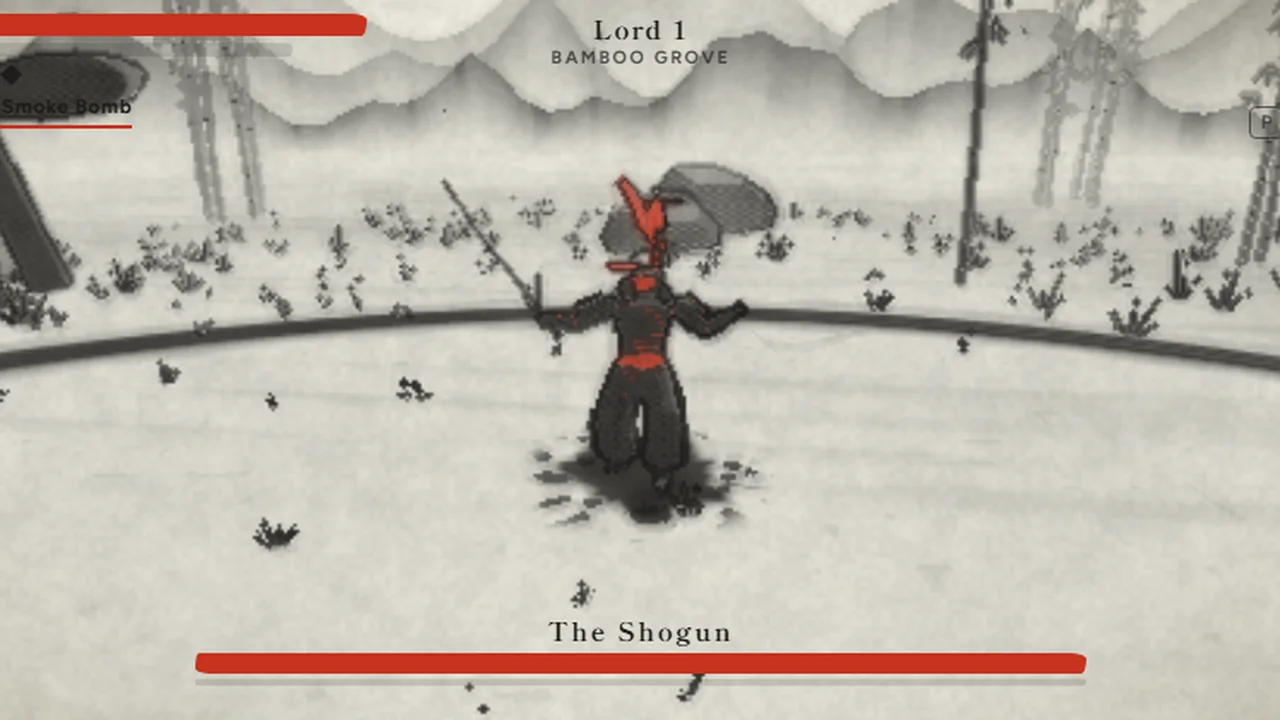
Tip 3: Watch Bosses Before Attacking
Bosses can guard, counter, and dodge. Charging straight at them and repeatedly attacking is unlikely to be a reliable strategy.
Instead:
- Observe the boss's movement.
- Look for moments when it finishes an attack.
- Avoid attacking into an obvious defensive response.
- Use the opening to deal damage, then prepare to defend again.
The game's description specifically emphasizes reading boss moves and breaking their posture before finishing them with an execution.
For a step-by-step plan covering boss dodging, positioning and Boss Rush preparation, read ourThousand Strikes boss guide.
Tip 4: Pay Attention to Map Hazards
The nine maps include hazards such as lightning, ice, gusting wind, fire, and arrow volleys. Do not focus so closely on enemies that you forget the arena itself can be dangerous.
Look around as you move and avoid staying in a hazardous area longer than necessary.
Tip 5: Make Thoughtful Upgrade Choices
Between waves, the game lets you choose upgrades and visit shops and shrines. Read the options shown in your run rather than choosing automatically.
For beginners, consider what is currently causing problems. If you are taking too much damage, look for a defensive improvement if one is offered. If you struggle to finish enemies, consider an offensive option.
Tip 6: Save Your Ultimate for a Useful Moment
The ultimate ability is mapped to Q, I, or R on desktop. The game description encourages saving it for groups of enemies. Avoid using it immediately on a single weak opponent if a larger threat may appear soon.
Tip 7: Learn From Each Run
A failed run can still teach you something. Think about what caused the defeat:
- Were you surrounded?
- Did you overlook an archer?
- Did you dodge into a hazard?
- Did you attack while the boss was defending?
- Did you use an ability without a clear purpose?
Change one habit in your next run instead of trying to fix everything at once.
Game Modes: Which One Should You Play First?
Thousand Strikes lists three game modes.
Endless
Endless is a natural place to practice the basic combat loop and see how long you can survive. Use it to become familiar with enemy waves, movement, and your chosen weapon.
Boss Rush
Boss Rush focuses on boss encounters. It is a useful mode to try once you are comfortable with guarding, dodging, and recognizing enemy attack patterns.
Daily Challenge
The Daily Challenge offers a daily way to return to the game. Try it after learning the basics, and treat it as an opportunity to practice under that day's challenge conditions.
Common Beginner Mistakes
| Mistake | What to do instead |
|---|---|
| Holding attack constantly | Attack during openings and reposition when needed. |
| Ignoring guard | Practice defending instead of relying only on offense. |
| Dodging without looking | Watch enemy direction and avoid dodging into hazards. |
| Focusing only on nearby enemies | Check for archers and other threats around the arena. |
| Attacking a boss without observing it | Learn its movement and look for a safe opening. |
| Spending the ultimate immediately | Consider saving it for a group of enemies. |
| Choosing upgrades without reading them | Check what each available option actually changes. |
Frequently Asked Questions
How do you play Thousand Strikes?
Move around the arena, defeat enemy waves, use attacks and defensive actions, and survive boss encounters. On desktop, use WASD to move, the mouse or arrow keys to look, and the listed attack, guard, and dodge controls to fight.
What are the controls for Thousand Strikes?
On desktop, use WASD to move, the mouse or arrow keys to look, left click or J to attack, right click or K to guard, Space to jump, and Shift to dodge. E or L throws a shuriken, F or U activates a ninja art, Q, I, or R uses the ultimate, and P pauses the game.
Can you play Thousand Strikes on mobile?
Yes. The game supports mobile and tablet browsers, with an on-screen joystick and buttons for touch controls.
How many weapons are in Thousand Strikes?
There are four listed weapons: katana, twin blades, nodachi, and kusari chain.
How many ninja arts are available?
The game lists four ninja arts: smoke, fire, shadow clones, and grappling hook.
How many maps are in Thousand Strikes?
The game description lists nine maps, with hazards that can include lightning, ice, gusting wind, fire, and arrow volleys.
What is the best weapon in Thousand Strikes?
The public game information does not establish a definitive best weapon or provide a complete stat ranking. Try all four and choose the one whose timing and feel suit your playstyle.
How do you beat bosses in Thousand Strikes?
Watch their movement, avoid attacking blindly into their guard, and look for openings after their actions. The game describes bosses as enemies that can guard, counter, and dodge, so timing and observation are important.
Does Thousand Strikes support a controller?
The game page lists gamepad support. Check the in-game settings or the platform's current instructions for the available button mapping.
Final Beginner Advice
The easiest way to improve at Thousand Strikes is to build good habits before chasing high scores. Learn the controls, keep moving, use guard and dodge deliberately, watch out for ranged enemies and map hazards, and study bosses before committing to an attack.
Experiment with all four weapons and ninja arts instead of relying on unverified tier lists. Once the basic combat loop feels comfortable, try Boss Rush and the Daily Challenge to keep improving.
Ready to play?Play Thousand Strikes on CrazyGamesand put these beginner tips into practice.
All screenshots above were captured by GameBuddy while playing the official Thousand Strikes demo onCrazyGames. Controls and game facts were checked against the same game page.